- Claude Code
- Codex
- Antigravity
How it works
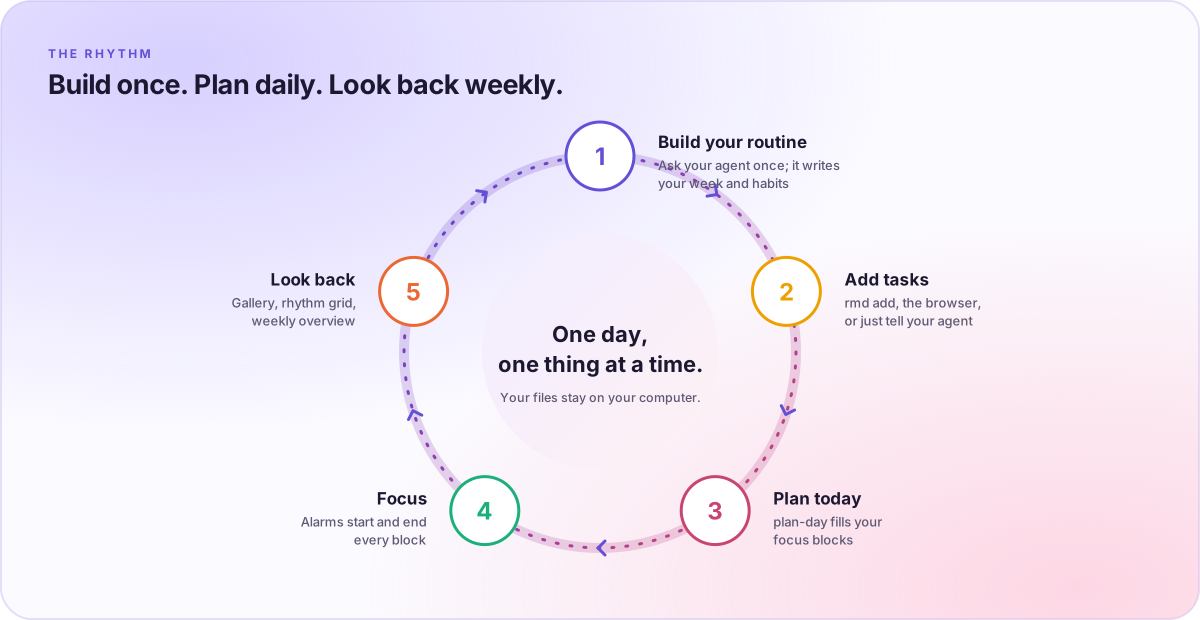
Talk to your agent. Get a routine that rings.
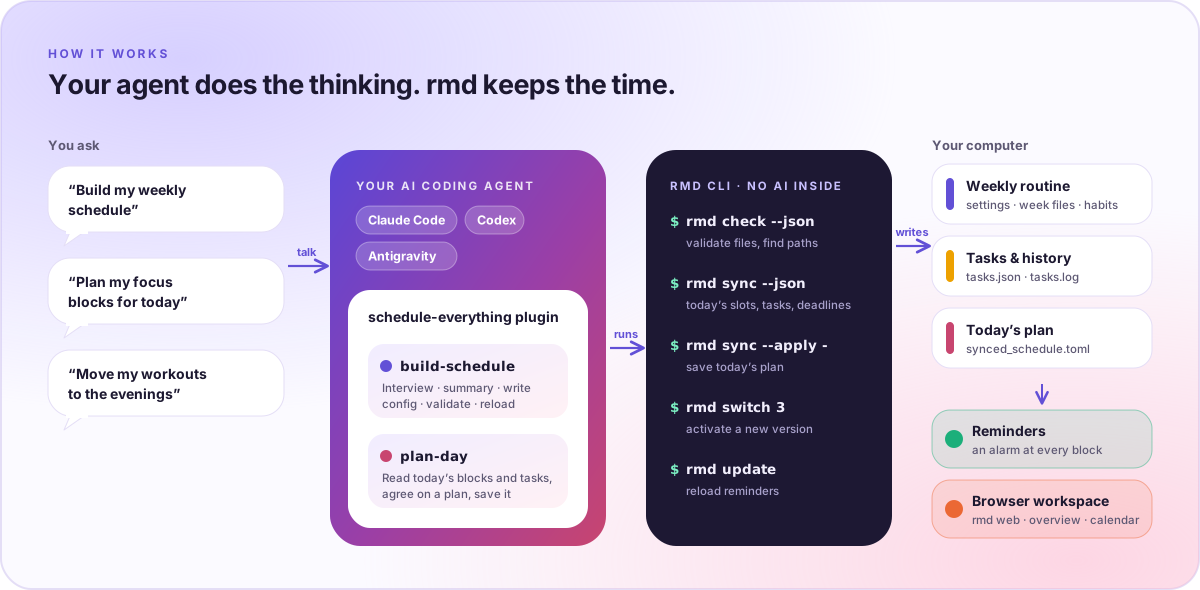
The schedule-everything plugin gives Claude Code, Codex, and Antigravity two skills: build-schedule writes your weekly routine, and plan-day fills today’s focus blocks with real tasks.
- 1
Ask in plain words
Tell your agent about your work, energy, and habits. The
build-scheduleskill interviews you and confirms a summary before writing anything. - 2
The plugin runs rmd
Deterministic commands do the bookkeeping:
rmd checkvalidates files,rmd syncreads and saves today’s plan, andrmd updatereloads reminders. - 3
Your files keep time
Plain TOML and JSON on your computer drive the background reminders and the browser workspace. Schedule Everything makes no AI calls itself.
The workspace
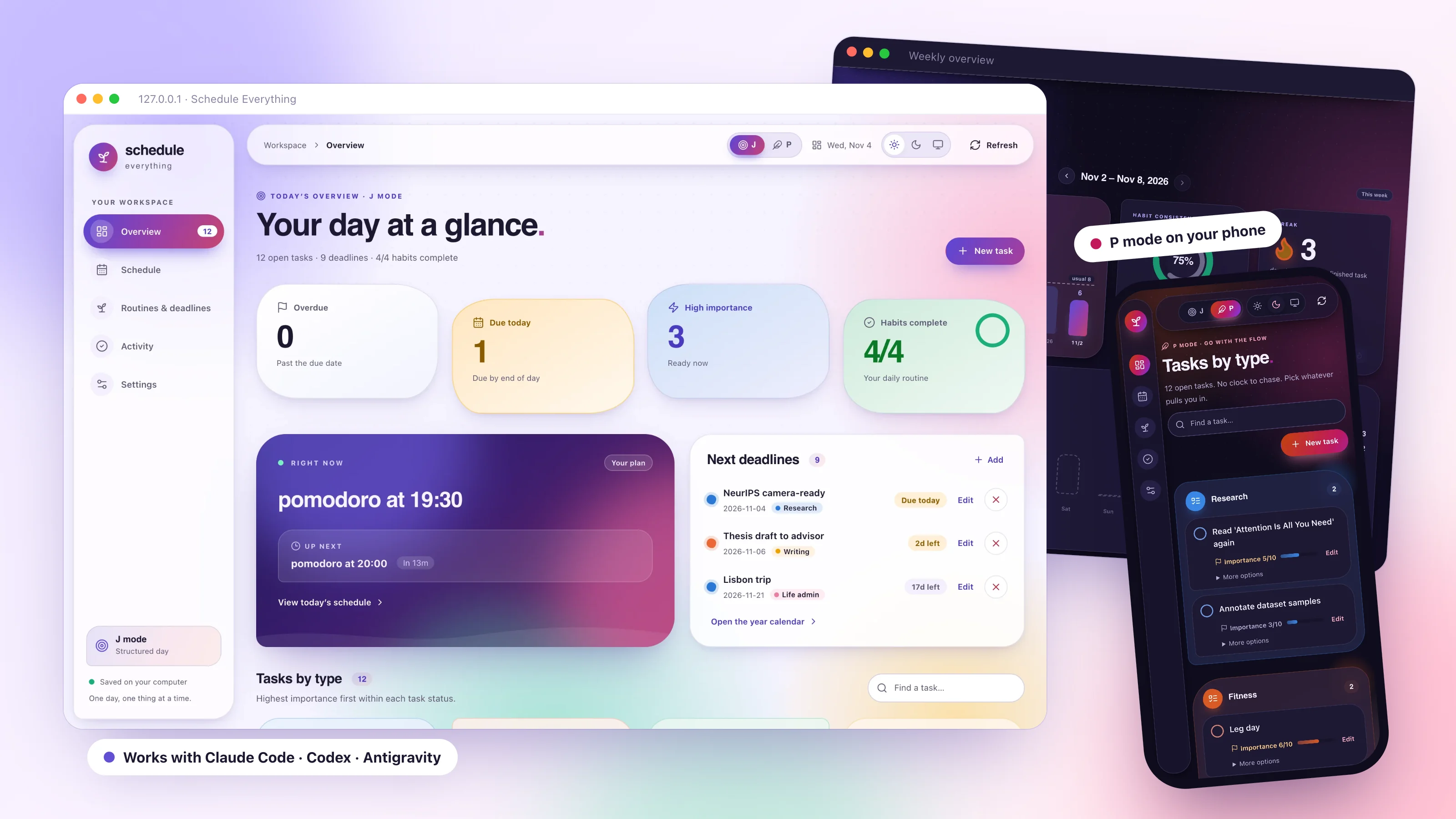
A vivid, local browser workspace.
Run rmd web to open it. It reads the same files as the CLI, listens only on 127.0.0.1, and keeps working without an agent.
J mode · P mode
Two ways to run your day
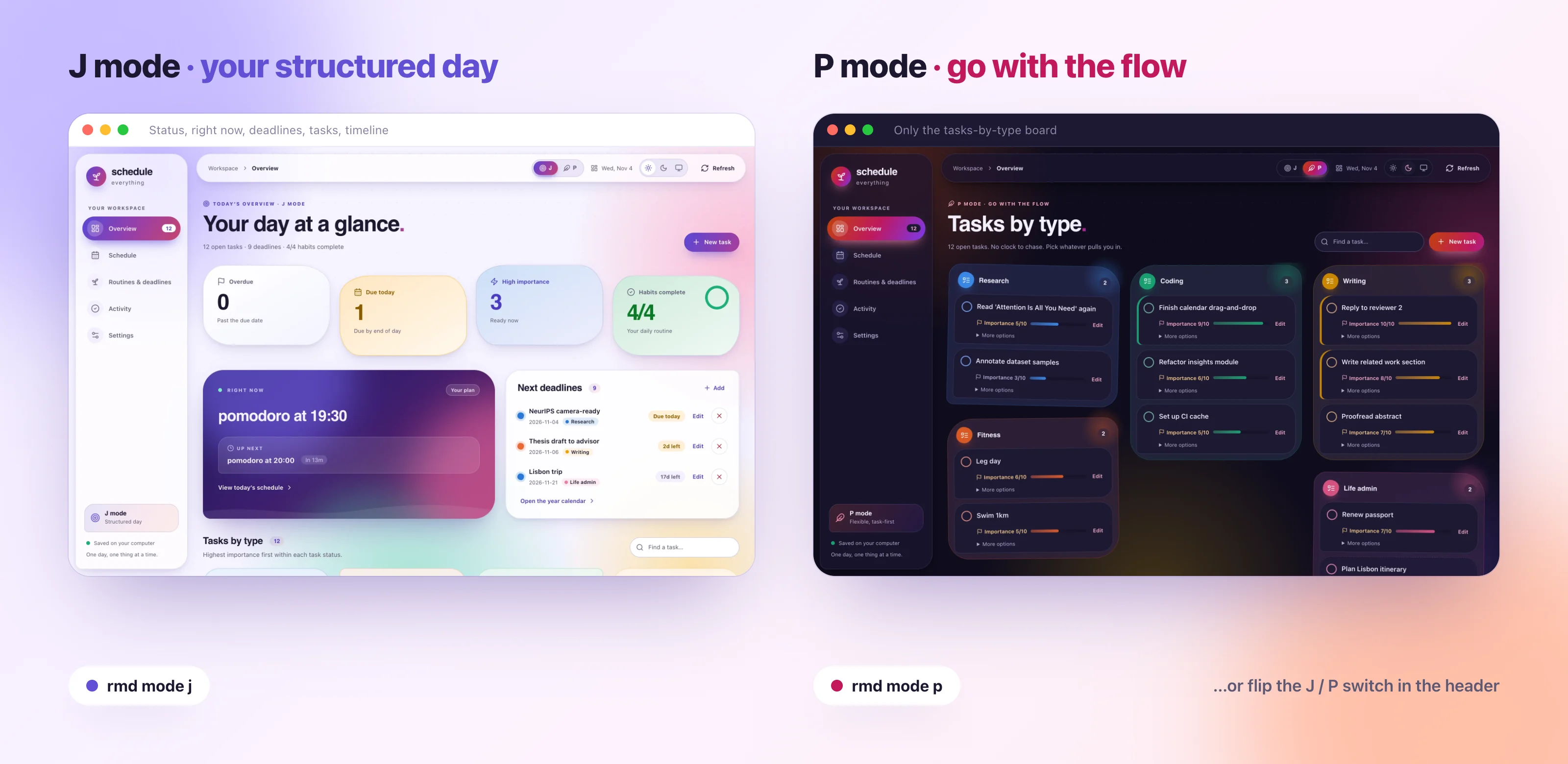
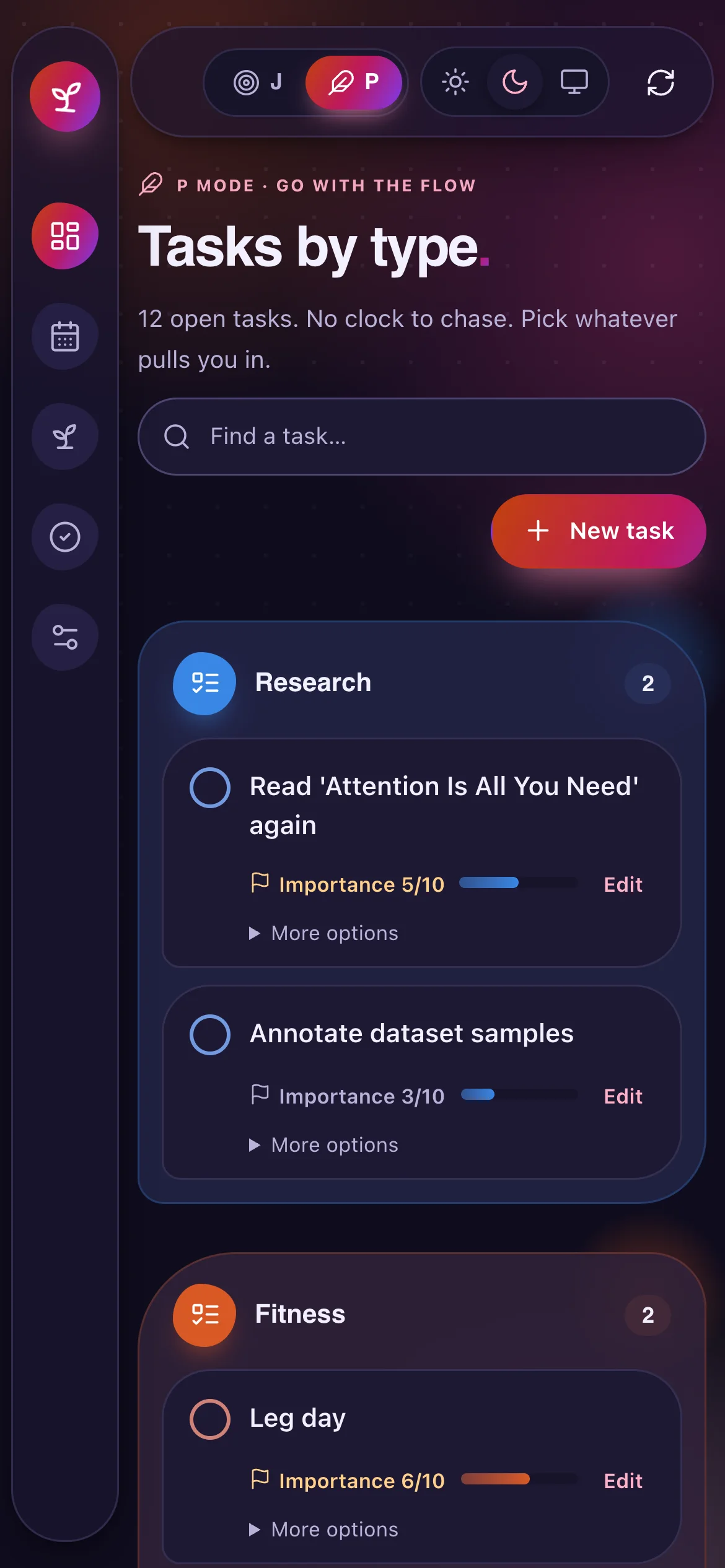
J mode is the structured day: status orbs for overdue, due-today, and high-importance tasks and habits, what is happening right now, the next deadlines, tasks by type, and today’s timeline. P mode is for flexible days: the overview keeps only the tasks-by-type board in a warmer palette, and alarms for selected events pause.
rmd mode jrmd mode por flip the J / P switch in the header
Schedule
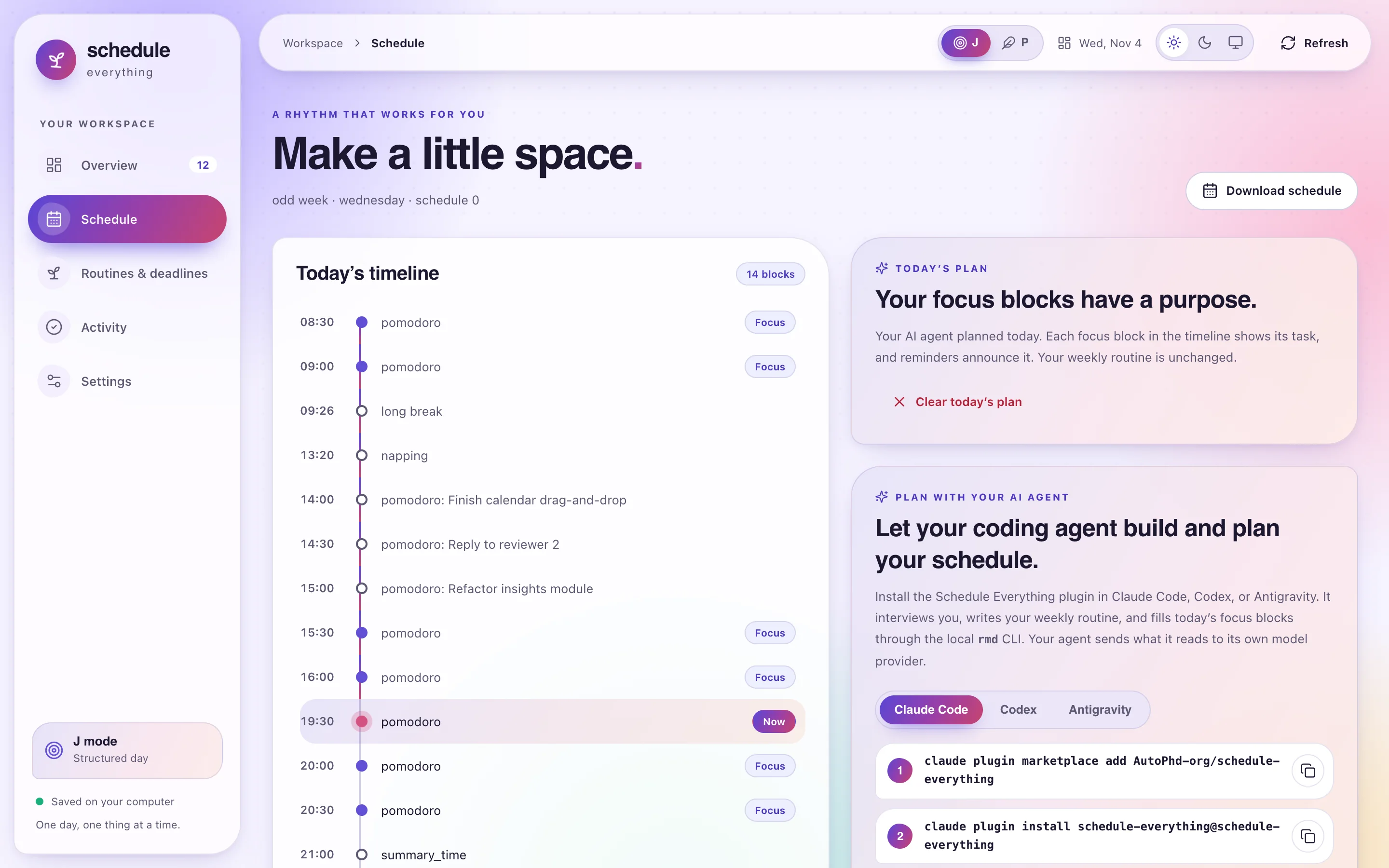
Today’s plan, right on the timeline
Ask “Plan my focus blocks for today” and the plan-day skill matches your most important tasks to today’s pomodoro and potato blocks, confirms with you, and saves the plan.
- Planned blocks show their task; reminders announce it
- Clear today’s plan in one click; your weekly routine never changes
- Install commands for each agent, with copy buttons
Routines & deadlines
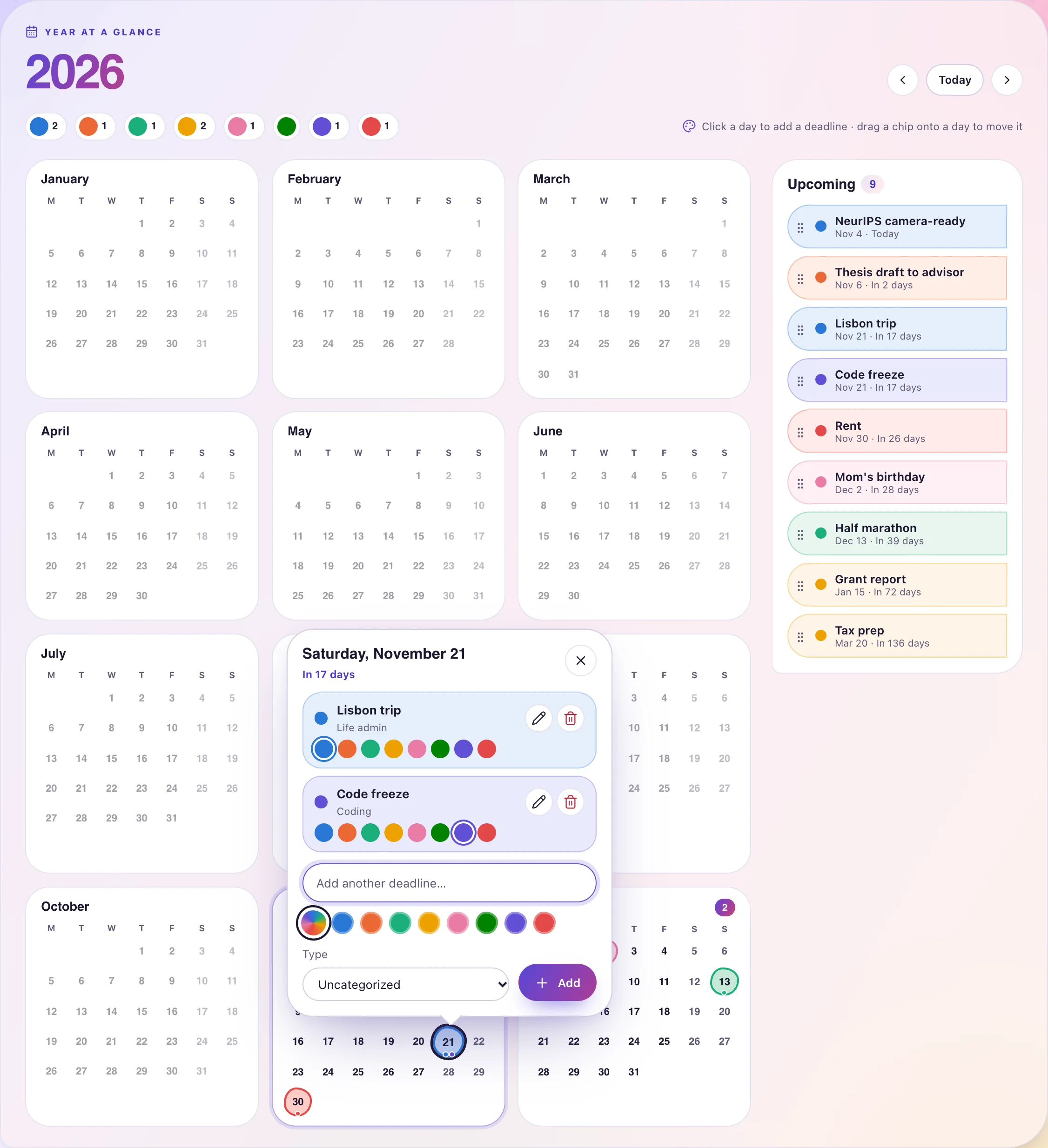
Your year at a glance
Every deadline sits on a calendar for the whole year, tinted with its marker color, next to a list of what is coming up. Today’s habits live on the same page.
- Click a day to add a deadline
- Pick one of eight marker colors, or keep the type color
- Drag a chip onto another day to reschedule
Activity
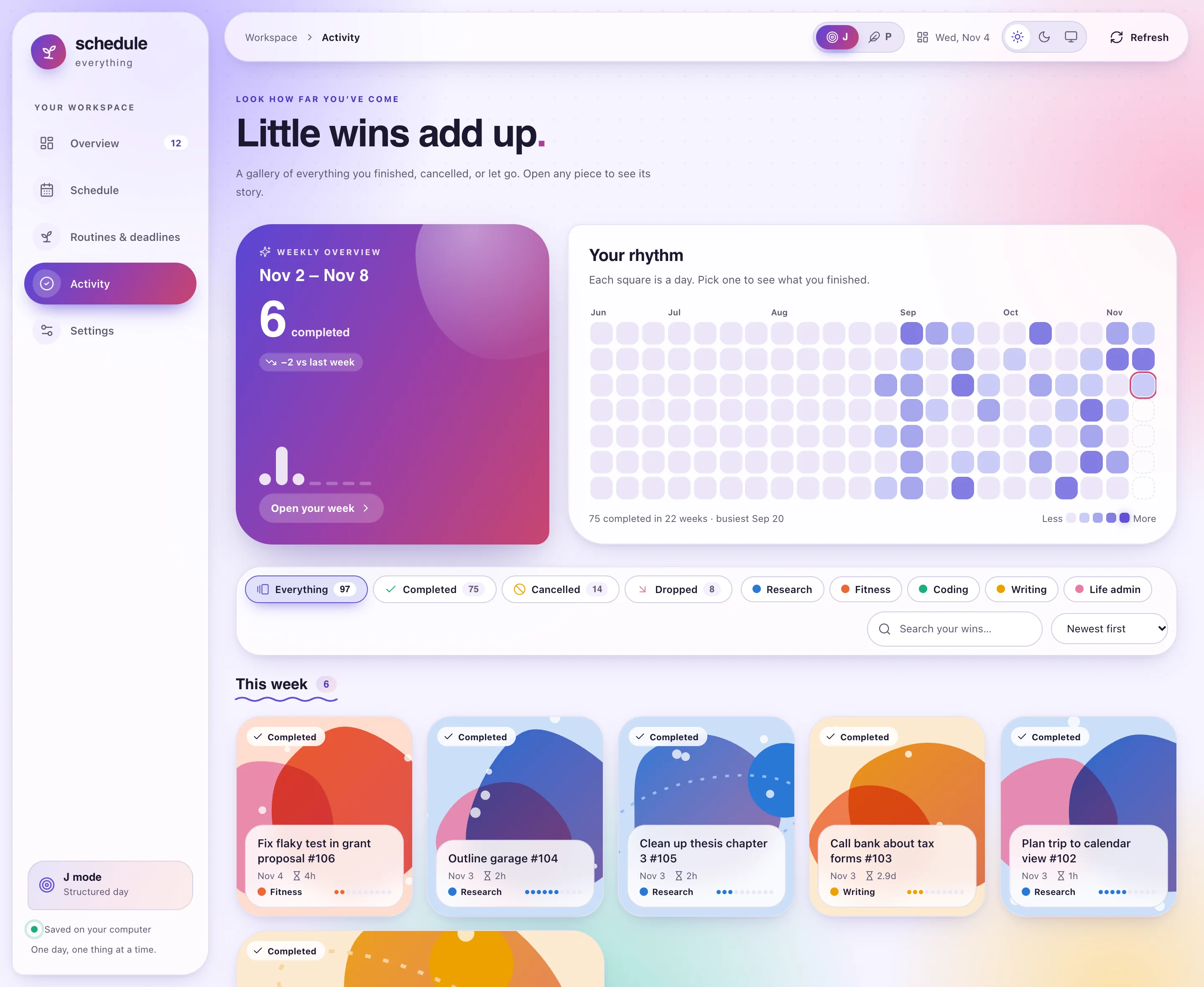
Little wins add up
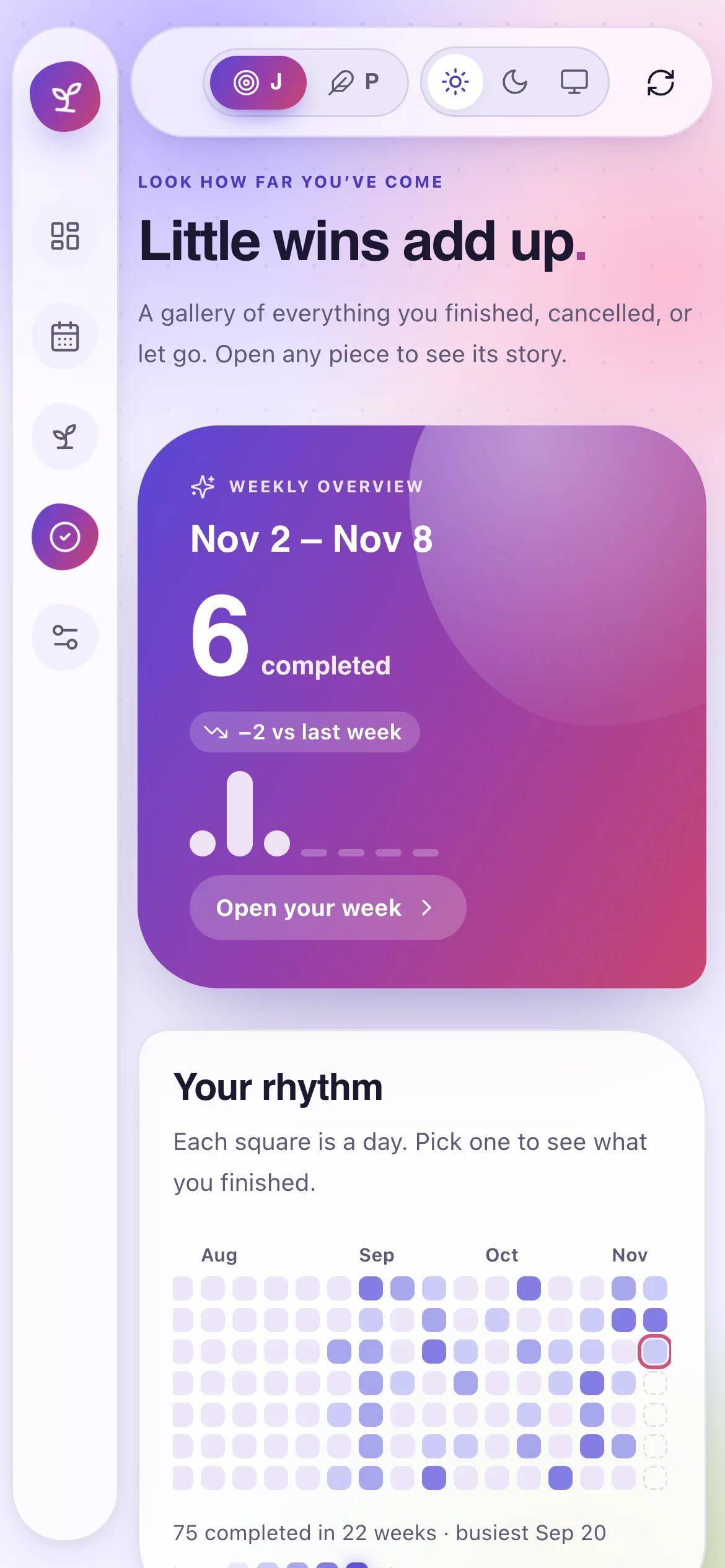
Activity is a gallery of everything you finished, cancelled, or let go, each card with artwork in its type’s color. More important work gets bigger cards.
- Filter by outcome or type, search, and sort
- Pick a day in the rhythm grid to see what you finished
- Open a card for its story: added, finished, and how fast

Weekly overview
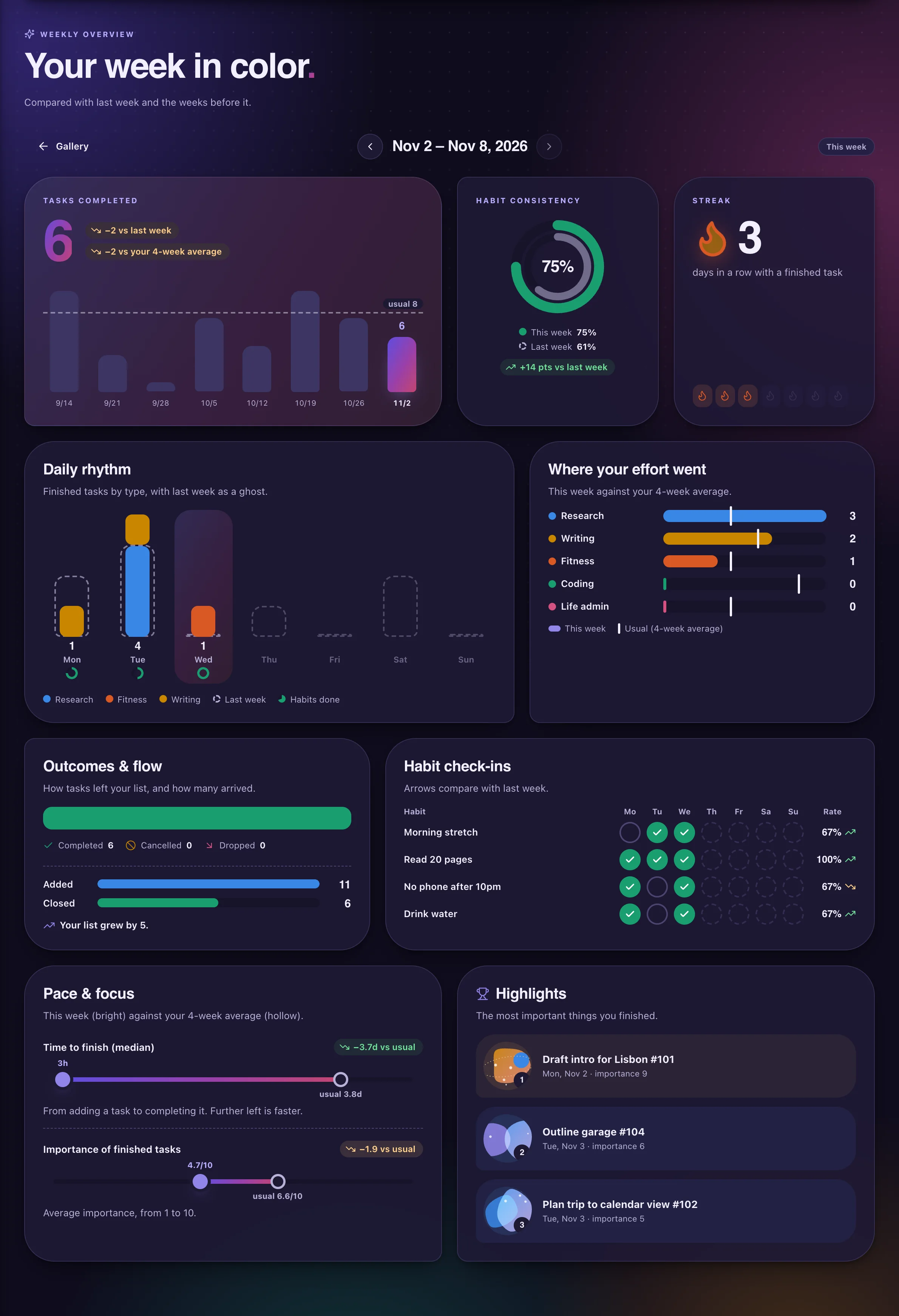
Your week in color
Open your week from the Activity page. Each card compares it with last week and with your average of up to four earlier weeks, mostly as charts.
- Tasks completed, with an eight-week trend
- Habit consistency, check-ins, and your streak
- Daily rhythm, effort by type, pace, and highlights
Any screen
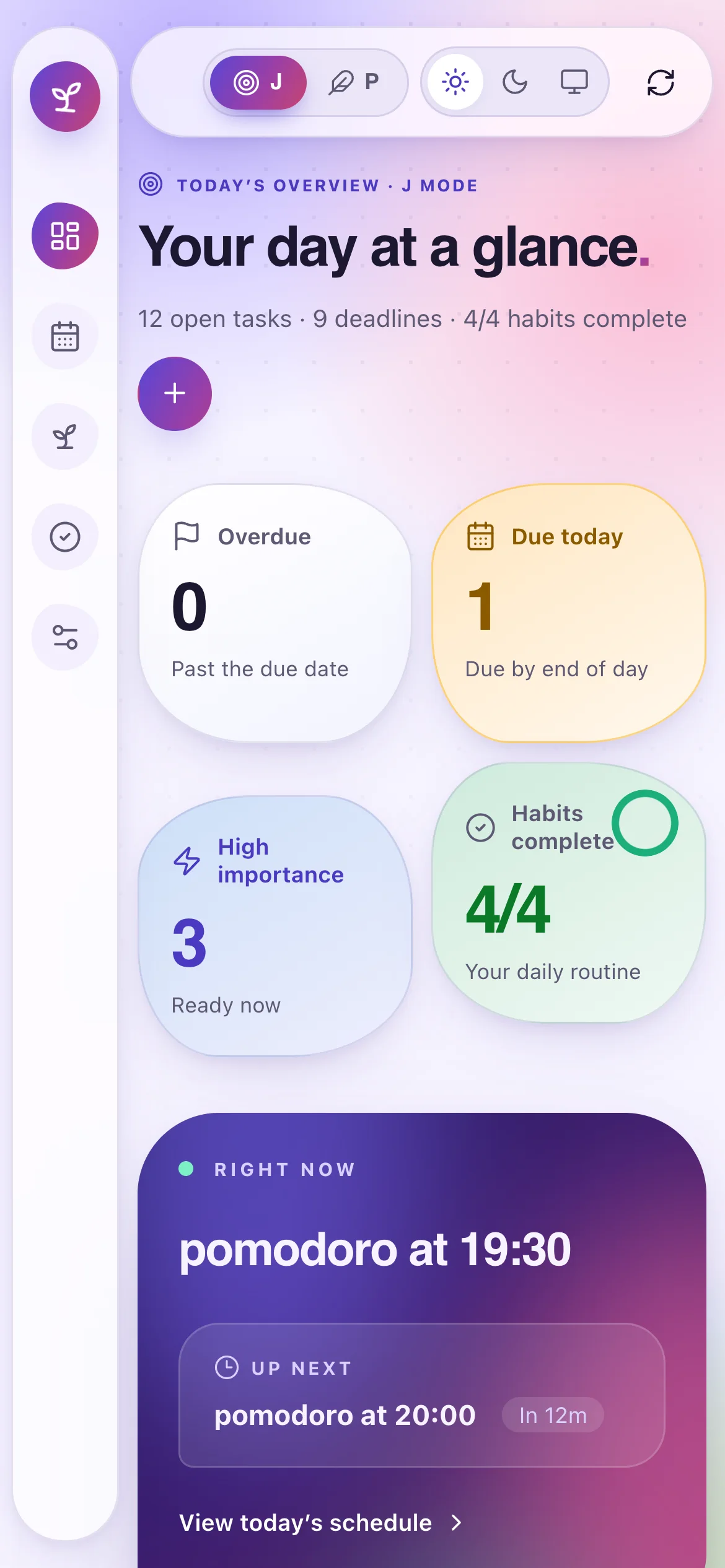
Down to phone size, too
The layout adapts to any window, from a wide monitor to a phone-sized viewport: the sidebar becomes an icon rail and cards stack.
- Light, dark, or system theme, remembered per browser
- Motion respects your reduced-motion setting
Every day
Reminders that stick.
Alarms sound and a dialog stays up at the start and end of every block until you respond. Deadlines, habits, and urgent tasks get their own nudges.
Get started
Up and running in three steps
- 1
Install Schedule Everything
The installer builds the rmd binary (it needs Rust), then sets up your configuration and the reminder service (LaunchAgent on macOS, systemd on Linux).
curl -fsSL \https://raw.githubusercontent.com/AutoPhd-org/schedule-everything/main/install.sh | bash - 2
Add the plugin to your agent
- Claude Code
- Codex
- Antigravity
Terminalclaude plugin marketplace add AutoPhd-org/schedule-everythingclaude plugin install schedule-everything@schedule-everythingInside a Claude Code session, use the slash commands instead:
Claude Code/plugin marketplace add AutoPhd-org/schedule-everything/plugin install schedule-everything@schedule-everythingTerminalcodex plugin marketplace add AutoPhd-org/schedule-everythingcodex plugin add schedule-everything@schedule-everythingCodex reads the plugin from the repository marketplace catalog,
.agents/plugins/marketplace.json.Terminalgit clone https://github.com/AutoPhd-org/schedule-everything.gitagy plugin install ./schedule-everything/plugins/schedule-everythingAntigravity installs the plugin from a local clone of the repository.
- 3
Ask your agent
- “Build my weekly schedule”
- “Plan my focus blocks for today”
- “Move my workouts to the evenings”
Then run
rmd webto open the workspace. Your agent sends what it reads to its own model provider; your files stay on your computer.

One day, one thing at a time.
Free, open source, and local-first. Your routine is plain text you own.